Windows Server still runs a significant portion of enterprise workloads — from Active Directory and file shares to SQL Server databases and custom .NET applications. But running Windows on-premises means managing hardware refresh cycles, dealing with escalating licensing costs, maintaining your own HA and DR, and keeping up with patching across dozens or hundreds of servers manually.
Migrating these workloads to AWS eliminates the infrastructure overhead while giving you access to managed services, elastic scaling, and a security posture that's difficult to replicate in a traditional data center. The challenge isn't whether to migrate — it's how to do it without disrupting the business or creating licensing compliance issues along the way.
Why Migrate Windows Workloads to AWS
Eliminate hardware cycles — No more 3-5 year refresh planning, capacity forecasting, or capital expenditure requests. EC2 instances can be provisioned in minutes and right-sized based on actual utilization.
Reduce licensing costs — AWS offers multiple licensing models (license-included, BYOL, Dedicated Hosts) that can significantly reduce your Windows and SQL Server licensing spend when optimized correctly.
Improve availability — Multi-AZ deployments, automated failover, and AWS's global infrastructure provide availability levels that require significant investment to achieve on-premises.
Strengthen security — AWS native security services (GuardDuty, Security Hub, WAF, Shield, Systems Manager) integrate directly with Windows workloads, providing threat detection and compliance monitoring that would require multiple third-party tools on-prem.
Enable modernization — Once on AWS, you have a path to modernize incrementally — moving SQL Server to RDS, containerizing .NET applications, or replacing file servers with FSx — without a second migration event.
Key AWS Services for Windows
AWS Application Migration Service (MGN) — The primary tool for lift-and-shift Windows migrations. MGN continuously replicates your servers to AWS, allowing you to run non-disruptive test launches before committing to cutover. Supports all Windows Server versions from 2012 R2 forward.
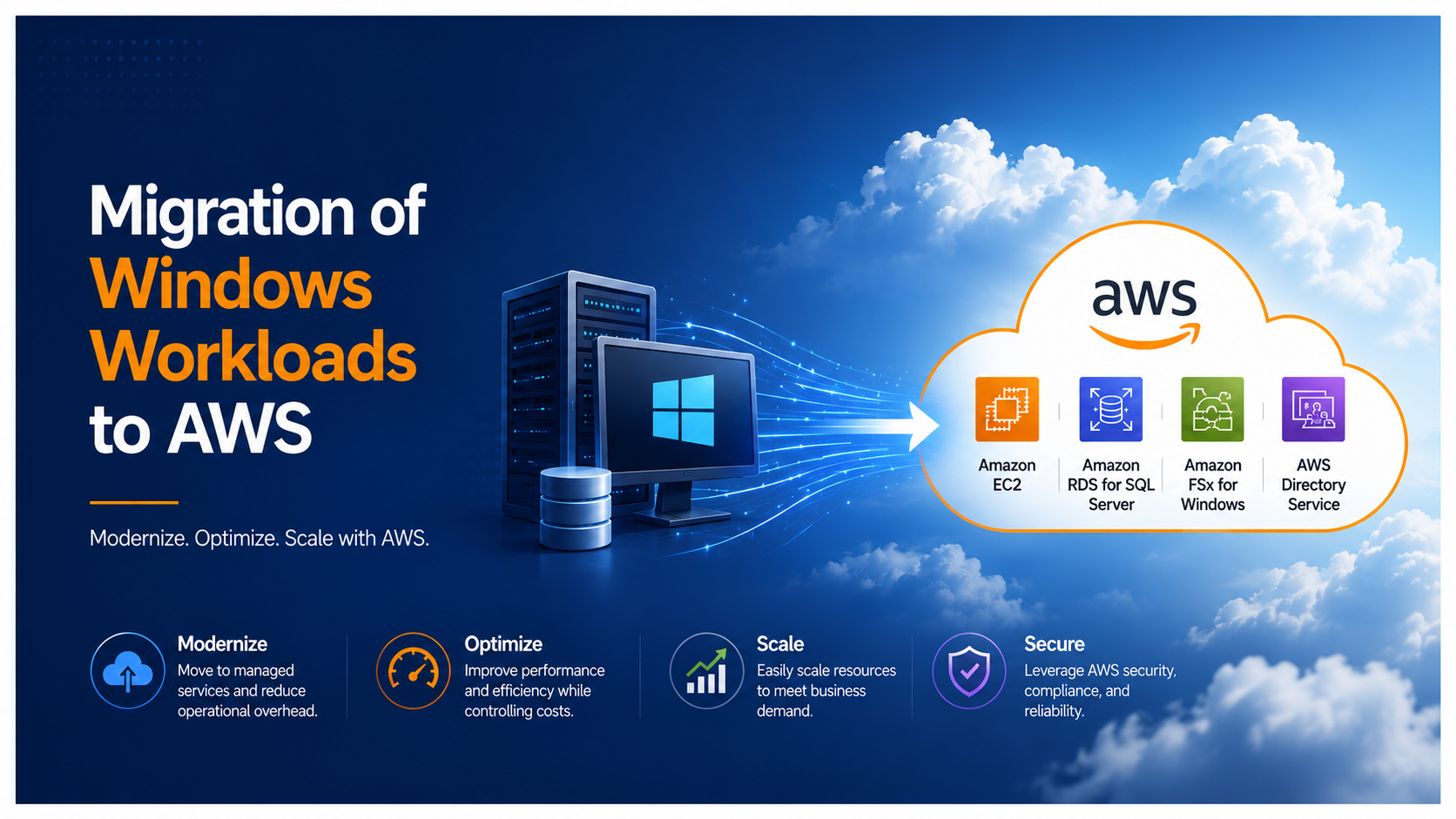
Amazon EC2 for Windows — Optimized instance types for Windows workloads, including memory-optimized instances for SQL Server, compute-optimized for .NET applications, and general-purpose for domain controllers and file servers.
AWS Systems Manager — Replaces traditional tools like SCCM for many use cases. Provides automated patching, configuration management, inventory collection, remote access (Session Manager), and run command capabilities across your entire Windows fleet.
Amazon FSx for Windows File Server — Fully managed Windows file shares built on Windows Server. Supports SMB protocol, Active Directory integration, DFS namespaces, and shadow copies. Eliminates the need to manage file server infrastructure.
Amazon RDS for SQL Server — Managed SQL Server with automated backups, patching, Multi-AZ failover, and read replicas. Available in Express, Web, Standard, and Enterprise editions.
AWS Managed Microsoft AD — Fully managed Active Directory running on Windows Server 2019. Supports trust relationships with on-premises AD, Group Policy, and seamless domain join for EC2 instances.
Windows Licensing on AWS
Licensing is one of the most complex aspects of running Windows on AWS — and one of the biggest cost optimization opportunities. Getting it wrong can mean overpaying by 40-60%.
License-Included instances — AWS provides the Windows Server license as part of the EC2 hourly rate. Simple, no compliance tracking required, but more expensive per-hour than Linux equivalents.
Bring Your Own License (BYOL) — If you have active Software Assurance, you can bring existing Windows Server and SQL Server licenses to AWS. This requires running on Dedicated Hosts or Dedicated Instances to maintain compliance with Microsoft's licensing terms.
AWS License Manager — Tracks license usage across your AWS environment, enforces licensing rules, and helps you avoid compliance violations. Essential for BYOL deployments.
Optimization strategies:
- Use Dedicated Hosts for SQL Server Enterprise to maximize core density and reduce per-license costs.
- Consider RDS for SQL Server Standard/Web edition workloads — the managed service cost is often lower than EC2 + license when you factor in DBA time.
- Evaluate Linux alternatives for non-Windows-dependent workloads that are currently running on Windows simply because that's what was available on-prem.
- Right-size before committing to Reserved Instances — migration is the best time to eliminate overprovisioning.
The Migration Process
Phase 1: Discovery and Assessment
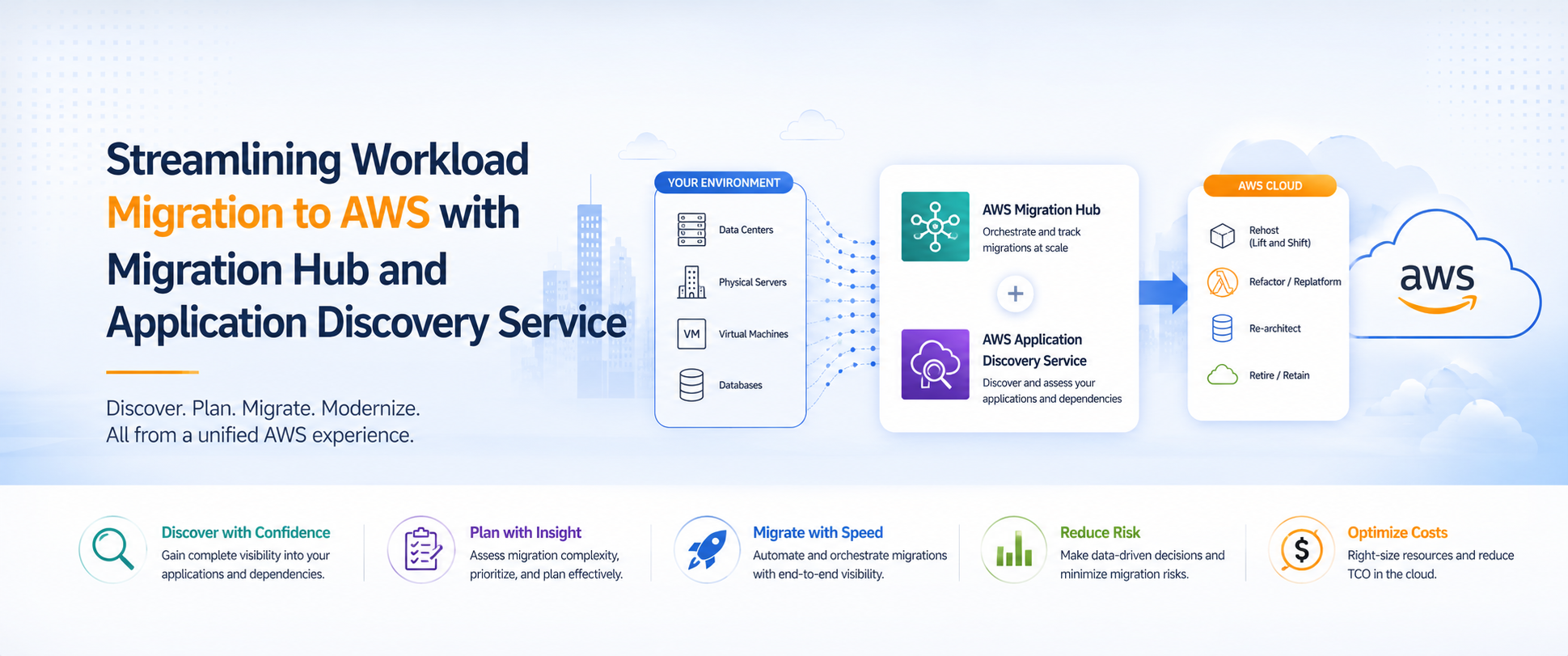
Start with AWS Application Discovery Service to inventory your Windows environment. Agent-based discovery provides the dependency mapping you need to understand which servers communicate with each other — critical for wave planning.
Key outputs from discovery:
- Complete server inventory with OS versions, resource utilization, and installed software
- Network dependency map showing server-to-server communication
- Performance baselines for right-sizing recommendations
- Identification of servers running unsupported OS versions that need upgrades
Phase 2: Planning
Migration strategy per workload — Apply the 7 Rs framework to each server:
- Rehost (Lift & Shift) — Move as-is using MGN. Fastest path, lowest risk, best for servers that need to move quickly.
- Replatform — Move to a managed service (SQL Server to RDS, file server to FSx) with minimal application changes.
- Refactor — Modernize .NET applications to run on containers (ECS/EKS) or serverless (Lambda). Higher effort, highest long-term value.
- Retire — Decommission workloads that are no longer needed. Discovery often reveals 10-20% of servers can be retired.
Wave planning — Group servers by dependency clusters and sequence waves by risk. Start with low-risk, low-dependency servers to validate the process before touching critical workloads.
Licensing plan — Determine BYOL vs license-included for each server based on existing entitlements, Software Assurance status, and cost modeling.
Phase 3: Execution
For lift-and-shift migrations using MGN:
- Install the MGN agent on source Windows servers. The agent begins continuous block-level replication to AWS.
- Configure launch templates — instance type, VPC, subnet, security groups, IAM role, and domain join settings.
- Run test launches — MGN creates test instances from the replicated data. Validate that the server boots, applications start, and connectivity works. This is non-disruptive to the source.
- Execute cutover — During the maintenance window, stop the source server, allow final replication to sync, launch the production instance, and update DNS/load balancer targets.
- Validate and monitor — Confirm application functionality, check event logs for errors, verify domain authentication, and monitor performance for 48-72 hours.
Phase 4: Post-Migration Optimization
Migration is not the finish line — it's the starting point for optimization:
- Right-size instances based on actual utilization data (not what was provisioned on-prem).
- Implement Reserved Instances or Savings Plans for steady-state workloads once utilization patterns are confirmed.
- Enable AWS Systems Manager for fleet-wide patching, inventory, and compliance reporting.
- Evaluate modernization candidates — which SQL Servers should move to RDS? Which file servers should become FSx? Which .NET apps are candidates for containerization?
Active Directory: The Hardest Part
For most enterprises, Active Directory is the linchpin of a Windows migration. Every Windows server authenticates against AD, Group Policy controls configuration, and DNS resolution depends on AD-integrated zones. Getting AD wrong breaks everything.
Options for AD on AWS:
- AWS Managed Microsoft AD — Best for organizations that want a fully managed AD in AWS. Supports trust relationships with on-premises AD, enabling a hybrid state during migration. Handles replication, patching, and monitoring automatically.
- AD Connector — A proxy that forwards authentication requests to your on-premises AD. No data is stored in AWS. Good for organizations that want to keep AD on-prem long-term but need EC2 instances to authenticate.
- Self-managed AD on EC2 — Full control over domain controllers running on EC2. More operational overhead but necessary for organizations with complex AD topologies or custom schema extensions.
Hybrid state considerations:
During migration, you'll have servers in both locations authenticating against AD. This requires:
- Site-to-site VPN or Direct Connect — reliable, low-latency connectivity between on-premises and AWS for AD replication and authentication traffic.
- AD Sites and Services configuration — ensure AWS subnets are mapped to an AWS AD site so servers authenticate against local domain controllers rather than traversing the WAN.
- DNS resolution — configure Route 53 Resolver or conditional forwarders so servers in both locations can resolve names in both directions.
- Group Policy — verify that GPOs apply correctly to servers in the AWS OU structure and that any location-dependent policies are updated.
Common Challenges and Pitfalls
Driver and activation issues — Windows servers migrated via block-level replication may need AWS PV drivers installed post-migration. KMS activation may also need to be reconfigured to use AWS's KMS servers.
Time synchronization — Domain-joined Windows servers must sync time with domain controllers, not the EC2 hypervisor. Misconfigured time sync causes Kerberos authentication failures.
Security group complexity — Windows services use a wide range of ports (RPC dynamic ports, SMB, LDAP, Kerberos, DNS). Security groups need to accommodate these without being overly permissive.
Application compatibility — Some legacy Windows applications have hardcoded IP addresses, server names, or drive letters. These need to be identified and addressed before or during migration.
Performance expectations — EBS storage has different performance characteristics than local SAN storage. Workloads that are I/O-intensive (SQL Server, file servers) may need gp3 or io2 volumes tuned appropriately.
Working with Atayo
Atayo is an AWS EC2 for Windows Service Delivery Partner — a designation that requires demonstrated technical proficiency and proven customer success in migrating and managing Windows workloads on AWS. We've migrated complex Windows environments for healthcare organizations, financial services firms, and technology companies — handling everything from single-server lifts to enterprise-wide Windows estate transformations.
Our team brings deep expertise in Windows Server, Active Directory, SQL Server, .NET, and the full suite of AWS services that support Microsoft workloads. Combined with our Migration Competency status and access to AWS MAP funding, we help organizations move their Windows infrastructure to AWS faster, with less risk, and at lower cost.
Talk to a Windows migration specialist about your environment, or learn more about our Microsoft on AWS capabilities.
Tags
Atayo Group
AWS-certified cloud practitioners delivering end-to-end cloud solutions and services.
About Atayo →